We use cookies to make your experience better.
To comply with the new e-Privacy directive, you agree to the privacy policy and our use of cookies.
BakkerElkhuizen Goldtouch Elite Split keyboard Office USB QWERTY UK English Black
SKU
BNEGTEBUK

| SKU | BNEGTEBUK |
|---|---|
| EAN | 8719274677765 |
| Manufacturer | BakkerElkhuizen |
| Availability | Y |
| Product Videos |
View Video View Video |
| PDF URLs |
View PDF View PDF View PDF View PDF View PDF |
Choose the right angle
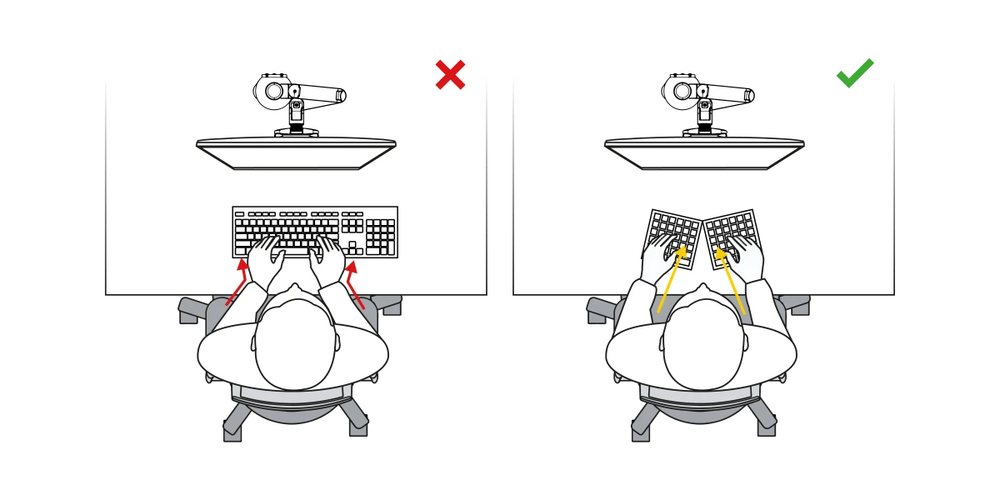
The Goldtouch Elite is a split keyboard which can be conveniently adjusted in its inclination angle from 0-30 degrees. The stepless adjustment, brings your hands, wrists, and arms into a more neutral and natural position than with a traditional keyboard. The result is, no inward rotation of the hand and lateral bending of the wrist. This leads to more relaxed muscles in your hand, wrist and forearm while typing. The higher the adjusted angle is, the narrower and more compact the keyboard is. This means you can work with your mouse close to the body, so there is no unnecessary strain on the arm, shoulder, and less muscle tension.
Ergonomic background
Research shows that 90% of keyboard users seldom, if ever, use the numeric pad so this element is removed on a compact keyboard. This allows the mouse to be placed closer to the keyboard. Using a compact keyboard results in increased comfort because it reduces the reaching distance to the mouse (Cook, C., et al., 1998) and puts less strain on the shoulder and forearm. Significant improvements in musculoskeletal upper limb disorders were achieved using adjustable keyboards. (Hedge, et al, 2002).
Updated handle
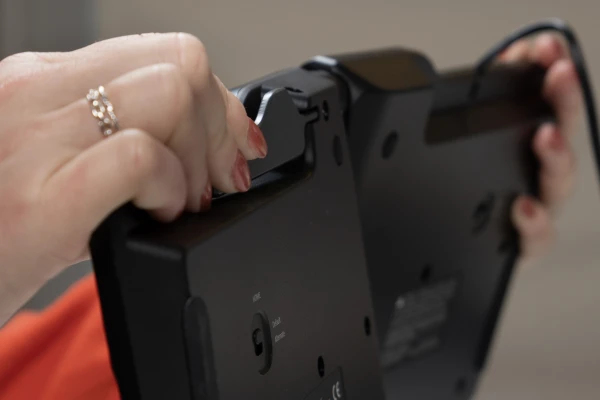
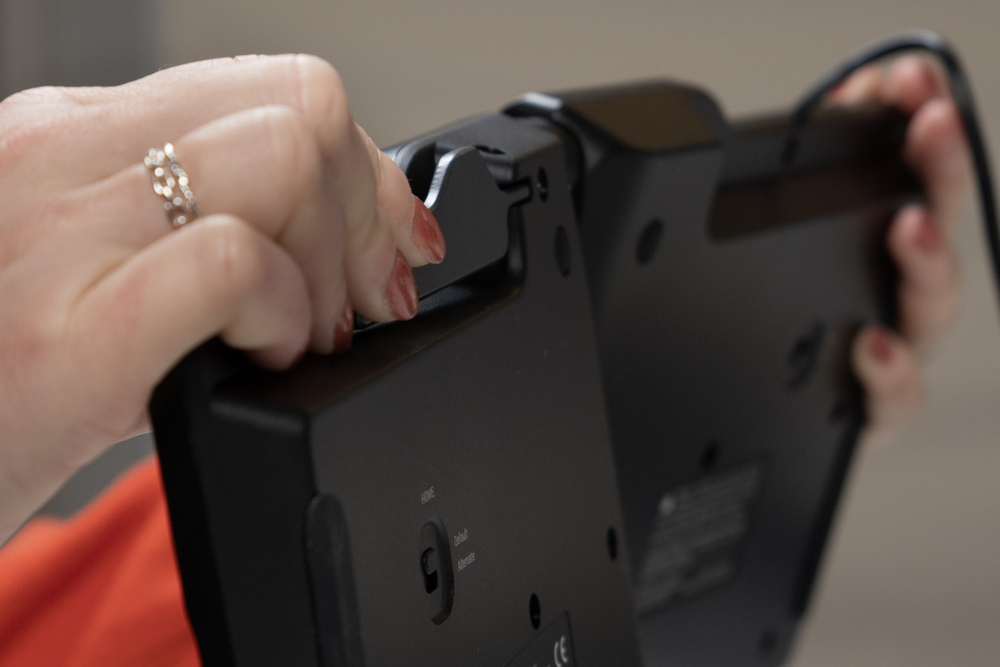
The new and improved handle design makes adjusting your keyboard a breeze. Using a locking ball and lever joint, simply give the handle a squeeze to start making angle adjustments to your keyboard. Once you’ve positioned it where it feels most comfortable, let go of the handle and it locks into place.
Compatible with multiple devices
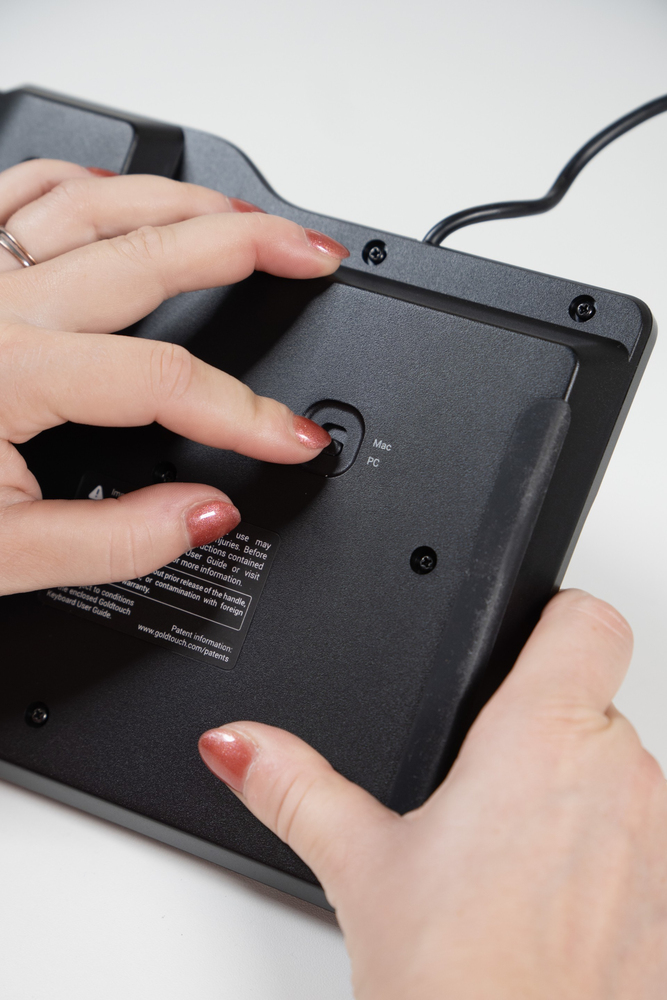
Whether you use PC or Mac, or even both, the Elite Keyboard works equally well with both operating systems—right down to the key layout. Using the toggle switch on the back of the keyboard, simply switch to PC or Mac — it’s that simple!
Comfortable, long lasting keys
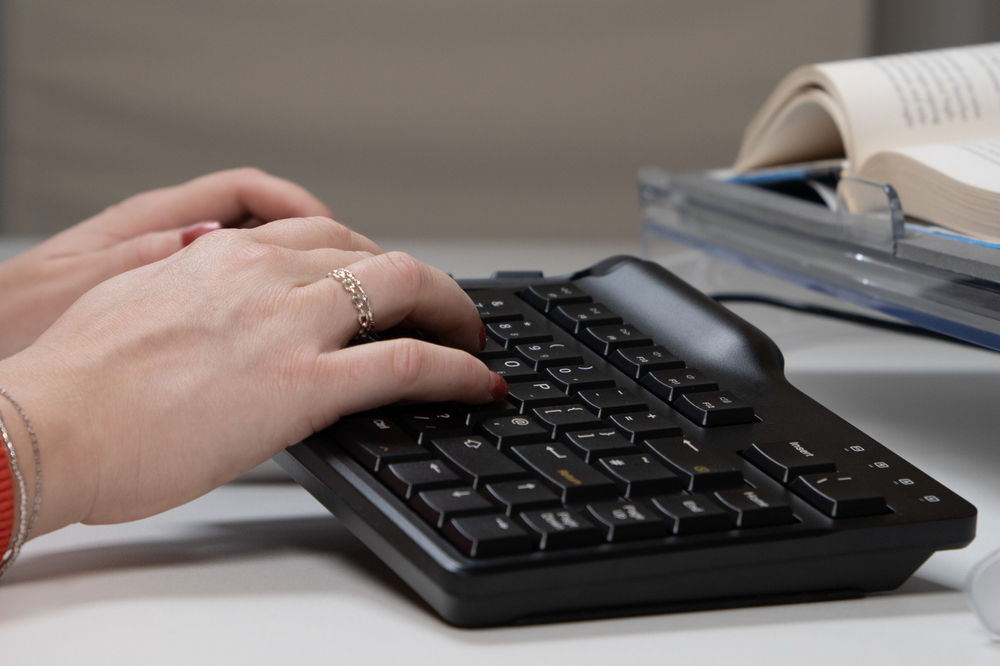
The keyboard features half-height keys that feel comfortable to the touch, with a travel distance (how far the key travels to activate) of 3.6mm to prevent your fingers from getting fatigued during long typing sessions. They’re soft-touch too, only needing 45g-55g (average) of ‘activation force’ (how hard you have to press on the keys to “activate” them) to press down the keys.
For a long-lasting finish, a laser etching is used on all of the main keys that won’t rub off and ink tampo printing is used for the yellow Mac keys and blue FN keys for a crisp finish.
Alternate and Default layouts
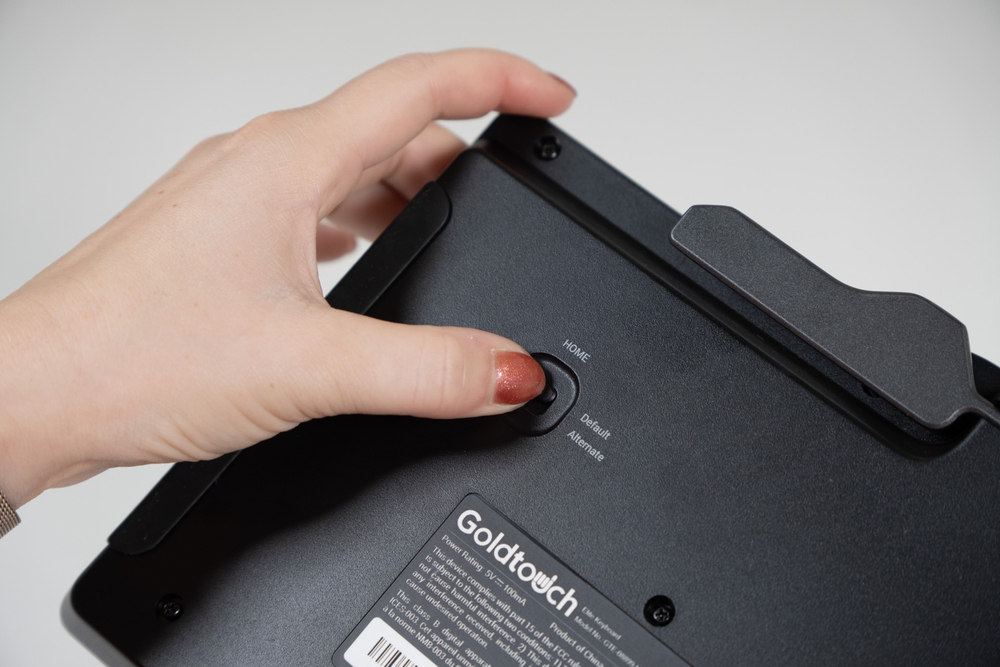
With one switch, you can change between the Default and Alternate keyboard layouts. The Default mode features the Print Screen, Pause Break, Copy, and Paste on the left side of the keyboard, whereas the Alternate setting shifts them to the right-hand side.
To save time, instead of using the traditional copy and paste commands (Ctrl+C and V for Windows, Command+C and V for Mac), switch over to the Alternate layout to use the dedicated key that copy and paste with the press of one key.
High-quality ABS Material
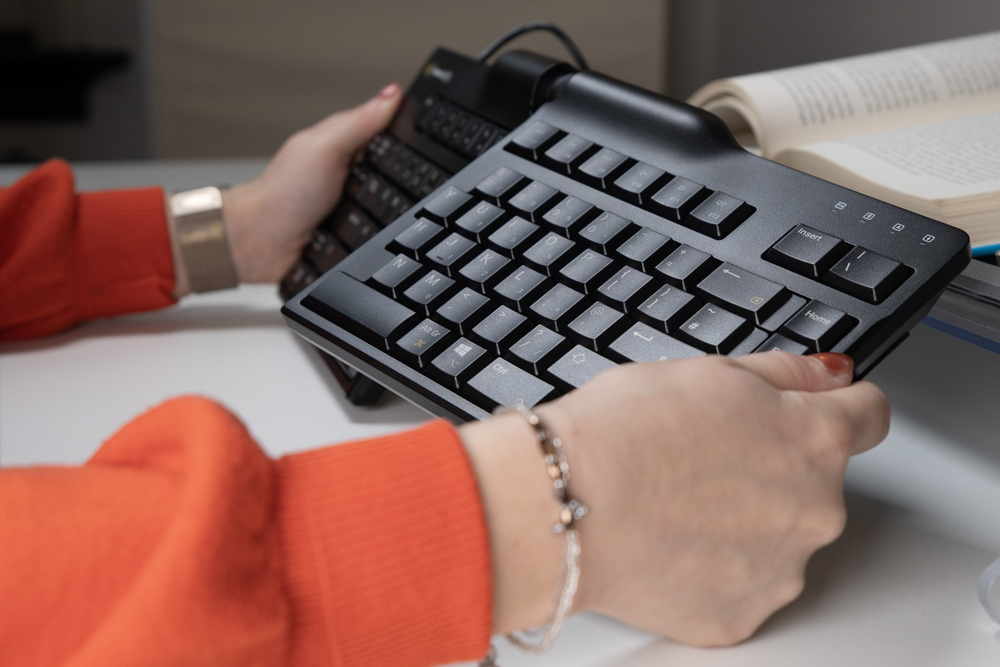
A high grade ABS was used to construct the Elite Keyboard for enhanced comfort and durability, whether you’re in the office or on the go. It’ll stand up to those long hours spent typing at your desk.
Slimmer design
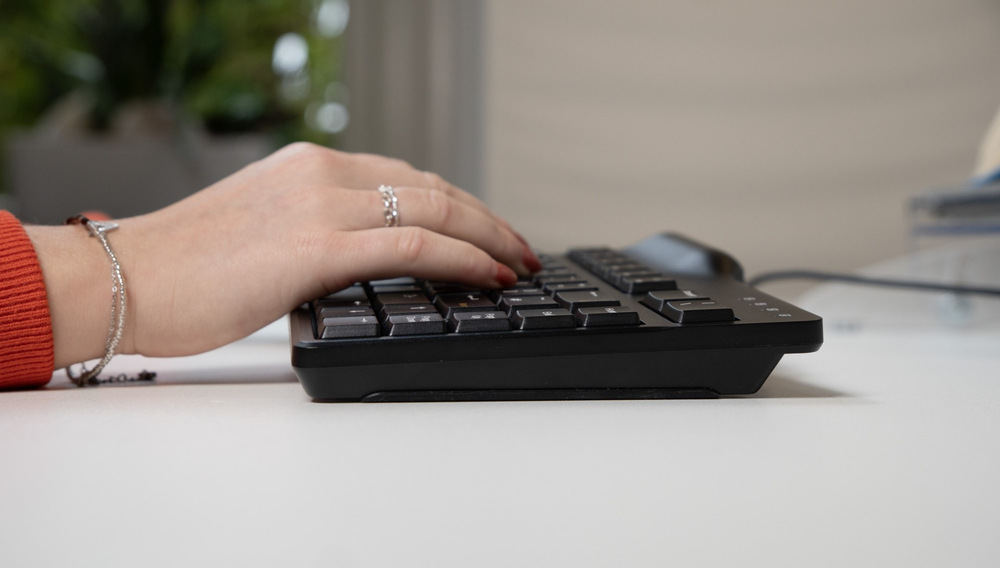
The Elite Keyboard was created with a profile that’s 0.5in(12.7mm) thinner than our previous comfort keyboards, with half-height keys. It’ll look great on your desk with its minimal aesthetic, but also feels more comfortable and less bulky to use.
Goldtouch Elite Split keyboard
The Goldtouch Elite is an ergonomic split keyboard for your fixed workstation.
The Goldtouch Elite is an ergonomic split keyboard for your fixed workstation. This ergonomic split keyboard can be slightly adjusted in its inclination angle between 0-30 degrees, and it is guaranteed that the keyboard remains very stable. For the optimal ergonomic usage, we recommend a split keyboard for people who type blindly in the ten-finger system. The keys have a key centre distance of 19 mm according to the DIN EN ISO norm and this promises a productive way of typing. In addition, the Goldtouch Elite has status LEDs, integrated multimedia buttons, and keys on the left side for a better distribution of work between your left and right arm. With this ergonomic split keyboard, you can work in a healthy posture and increase your performance at work.
Stable for your fixed workstation.
The Goldtouch Elite is easy to set up. Start by pressing the handle on the top of the keyboard. Then move the segments until the angle of each panel matches the natural line created by your fingers across the center row of the keys. When both your wrists and forearms are in a natural, comfortable position by your side, then you can release the handle. By doing that you'll lock the keyboard in position.
The Goldtouch Elite is an ergonomic split keyboard for your fixed workstation.
The Goldtouch Elite is an ergonomic split keyboard for your fixed workstation. This ergonomic split keyboard can be slightly adjusted in its inclination angle between 0-30 degrees, and it is guaranteed that the keyboard remains very stable. For the optimal ergonomic usage, we recommend a split keyboard for people who type blindly in the ten-finger system. The keys have a key centre distance of 19 mm according to the DIN EN ISO norm and this promises a productive way of typing. In addition, the Goldtouch Elite has status LEDs, integrated multimedia buttons, and keys on the left side for a better distribution of work between your left and right arm. With this ergonomic split keyboard, you can work in a healthy posture and increase your performance at work.
Stable for your fixed workstation.
The Goldtouch Elite is easy to set up. Start by pressing the handle on the top of the keyboard. Then move the segments until the angle of each panel matches the natural line created by your fingers across the center row of the keys. When both your wrists and forearms are in a natural, comfortable position by your side, then you can release the handle. By doing that you'll lock the keyboard in position.
| Keyboard | |
|---|---|
| Keyboard key switch | Membrane |
| Country of origin | China |
| Recommended usage | Office |
| Keyboard layout | QWERTY |
| Split keyboard | Yes |
| Pointing device | No |
| Non-slip base | Yes |
| Keyboard language | UK English |
| Connectivity technology | Wired |
| Device interface | USB |
| Multimedia keys | Yes |
| Physical layout | ANSI |
| Ports & interfaces | |
| Cable length | 1.464 m |
| Design | |
| Country of origin | China |
| Material | Plastic |
| Product colour | Black |
| Backlight | No |
| Surface coloration | Monochromatic |
| Technical details | |
| Material | Plastic |
| Product colour | Black |
| Backlight | No |
| Surface coloration | Monochromatic |
| Number of products included | 1 pc(s) |
| Connectivity technology | Wired |
| Products per pallet | 240 pc(s) |
| Multimedia keys | Yes |
| Harmonized System (HS) code | 84716070 |
| Ergonomics | |
| Cable length | 1.464 m |
| Features | |
| Cable length | 1.464 m |
| USB connector type | USB Type-A |
| Power | |
| Power source type | USB |
| USB Type-C charging port | No |
| Mouse | |
|---|---|
| Mouse included | No |
| System requirements | |
| Windows operating systems supported | Windows 10, Windows 10 Education, Windows 10 Education x64, Windows 10 Enterprise, Windows 10 Enterprise x64, Windows 10 Home, Windows 10 Home x64, Windows 10 IOT Core, Windows 10 IoT Enterprise, Windows 10 Pro, Windows 10 Pro x64, Windows 10 x64, Windows 11, Windows 11 Enterprise, Windows 11 Enterprise x64, Windows 11 Home, Windows 11 Pro, Windows 11 x64, Windows 2000, Windows 2000 Professional, Windows 7, Windows 7 Enterprise, Windows 7 Enterprise x64, Windows 7 Home Basic, Windows 7 Home Basic x64, Windows 7 Home Premium, Windows 7 Home Premium x64, Windows 7 Professional, Windows 7 Professional x64, Windows 7 Starter, Windows 7 Starter x64, Windows 7 Ultimate, Windows 7 Ultimate x64, Windows 7 x64, Windows 8, Windows 8 Enterprise, Windows 8 Enterprise x64, Windows 8 Pro, Windows 8 Pro x64, Windows 8 x64, Windows 8.1, Windows 8.1 Enterprise, Windows 8.1 Enterprise x64, Windows 8.1 Pro, Windows 8.1 Pro x64, Windows 8.1 x64, Windows Vista, Windows Vista Business, Windows Vista Business x64, Windows Vista Enterprise, Windows Vista Enterprise x64, Windows Vista Home Basic, Windows Vista Home Basic x64, Windows Vista Home Premium, Windows Vista Home Premium x64, Windows Vista Ultimate, Windows Vista Ultimate x64, Windows Vista x64, Windows XP, Windows XP Home, Windows XP Home x64, Windows XP Professional, Windows XP Professional x64 |
| Mac operating systems supported | Mac OS X 10.10 Yosemite, Mac OS X 10.11 El Capitan, Mac OS X 10.12 Sierra, Mac OS X 10.13 High Sierra, Mac OS X 10.14 Mojave, Mac OS X 10.15 Catalina, Mac OS X 10.15.3 Catalina, Mac OS X 10.4 Tiger, Mac OS X 10.5 Leopard, Mac OS X 10.6 Snow Leopard, Mac OS X 10.7 Lion, Mac OS X 10.7.5 Lion, Mac OS X 10.8 Mountain Lion, Mac OS X 10.9 Mavericks, Mac OS X 11.0 Big Sur, Mac OS X 12.0 Monterey, Mac OS X 13.0 Ventura, Mac OS X 14.0 Sonoma, Mac OS X 15.0 Sequoia |
| Weight & dimensions | |
| Weight | 1.1 kg |
| Keyboard weight | 1.1 kg |
| Keyboard dimensions (WxDxH) | 388 x 165 x 20 mm |
| Packaging data | |
| Package weight | 1.3 kg |
| Package width | 191 mm |
| Package height | 32 mm |
| Package depth | 407 mm |
| Number of products included | 1 pc(s) |
| Manual | Yes |
| Manual languages | English |
| Packaging content | |
| Number of products included | 1 pc(s) |
| AC adapter included | No |
| Manual | Yes |
| Manual languages | English |
| Other features | |
| Width | 388 mm |
| Height | 20 mm |
| Depth | 165 mm |
| Pointing device | No |
| Connectivity technology | Wired |
| AC adapter included | No |
| Products per pallet | 240 pc(s) |
| Logistics data | |
| Products per pallet | 240 pc(s) |
| Pallet gross width | 101.6 cm |
| Pallet gross length | 122 cm |
| Pallet gross height | 162.6 cm |
| Pallet gross weight | 363 g |
| Customs product code (TARIC) | 8471607090 |
| Harmonized System (HS) code | 84716070 |
You may also be interested in
| Product |
Recommended
BakkerElkhuizen Goldtouch Elite Split...
Login for pricing
|
Hot Product
CHERRY TouchBoard G80-11900 keyboard U...
Login for pricing
|
Popular
CHERRY XS Touchpad keyboard USB QWERTY...
Login for pricing
|
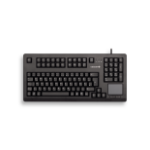 CHERRY TouchBoard G80-11900 keyboard U...
Login for pricing
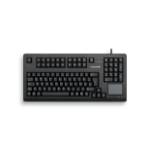
CHERRY TouchBoard G80-11900 keyboard U...
Login for pricing
|
New
CHERRY TouchBoard G80-11900 keyboard U...
Login for pricing
|
Bestseller
Logitech MX Mechanical
Login for pricing
|
|---|---|---|---|---|---|---|
| SKU |
BNEGTEBUK
|
G80-11900LUMEU-2
|
G84-5500LUMEU-0
|
G80-11900LUMFR-2
|
G80-11900LUMPN-2
|
920-010756
|
| Manufacturer |
BakkerElkhuizen
|
CHERRY
|
CHERRY
|
CHERRY
|
CHERRY
|
Logitech
|
| Keyboard layout |
QWERTY
|
QWERTY
|
QWERTY
|
AZERTY
|
QWERTY
|
QWERTY
|
| Connectivity technology |
Wired
|
Wired
|
Wired
|
Wired
|
Wired
|
Wireless
|
| Recommended usage |
Office
|
Universal
|
Universal
|
Universal
|
Office
|
Office
|
| Device interface |
USB
|
USB
|
USB
|
USB
|
USB
|
RF Wireless + Bluetooth
|
| Mouse included |
N
|
N
|
N
|
N
|
N
|
N
|
| Backlight |
N
|
N
|
N
|
N
|
N
|
Y
|
| Keyboard key switch |
Membrane key switch
|
N/A
|
N/A
|
Mechanical key switch
|
Mechanical key switch
|
Mechanical key switch
|